WorkLedger guide
Expense categories
Use a small, consistent category list that matches how you review project costs. Avoid creating multiple categories for the same purpose.
Category Sites & finance
Keep categories useful
Open Expense Categories
Open Site Finance and select Expense Categories under Records & Reports to manage the categories used when recording site expenses.
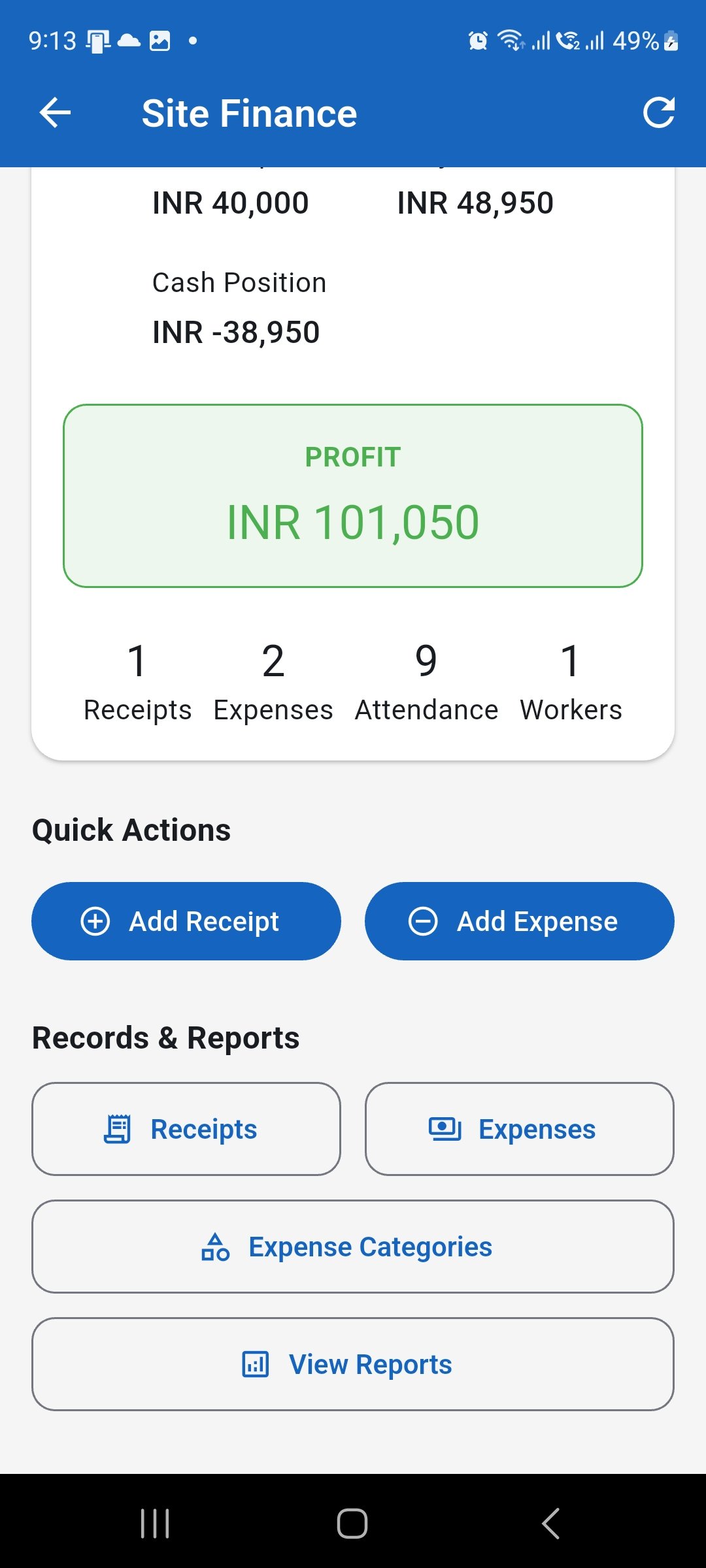
Open Expense Categories from Site Finance. Review the category list
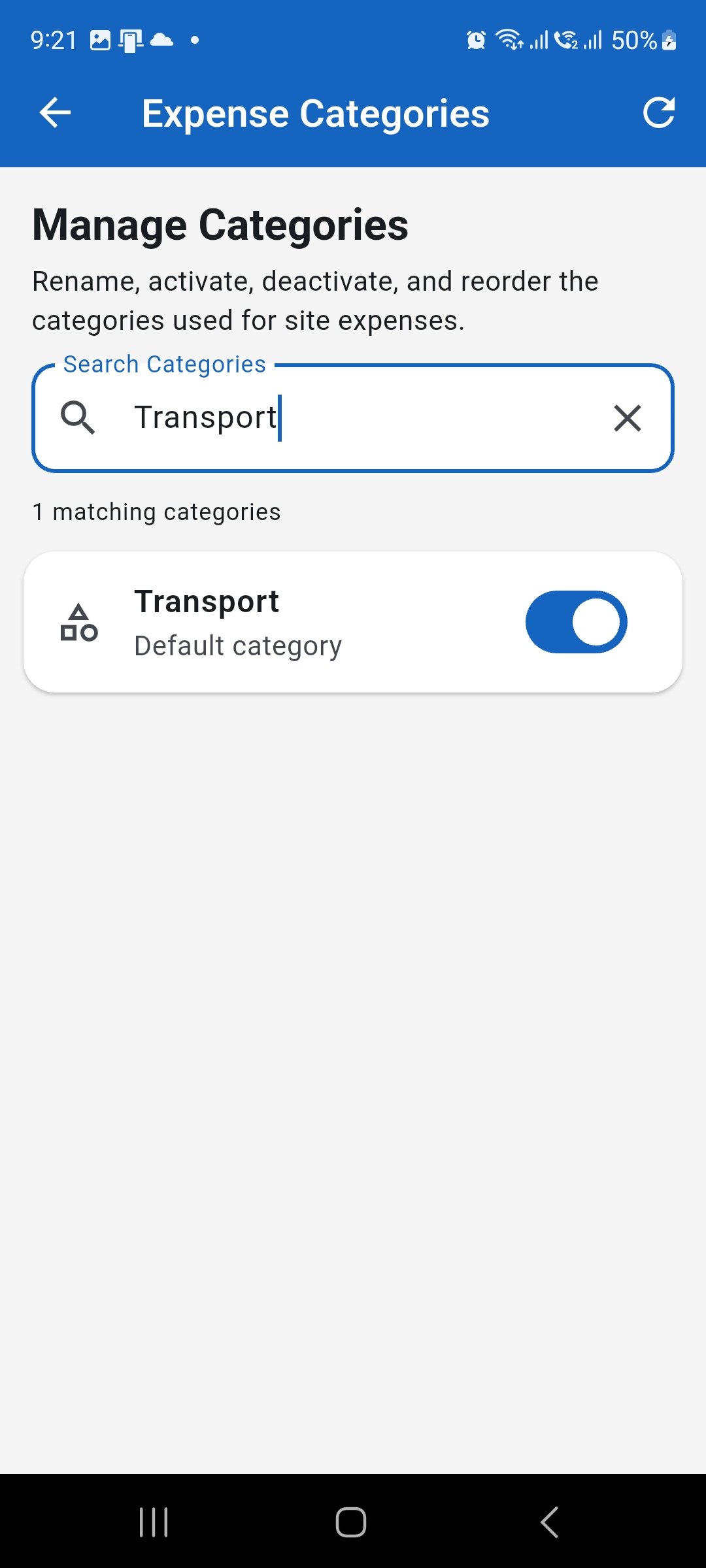
Review the available categories before making changes. Use search when needed, and avoid creating or renaming categories so that two categories represent the same type of project cost.
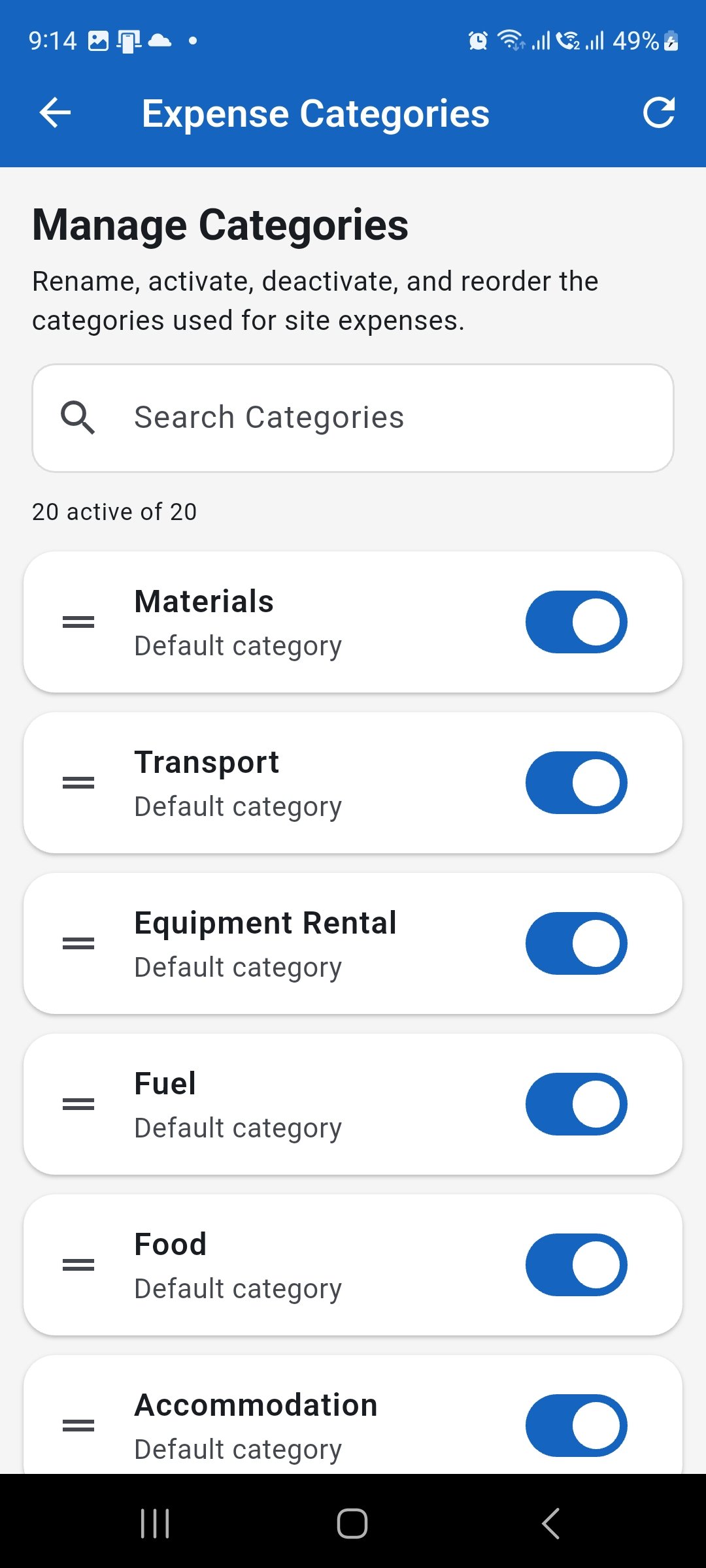
Review the existing category list before changing names or status. Rename a category when needed
Open a category to edit its name when a clearer description is required. Keep the new name short, distinct, and consistent with how expenses are classified across sites.
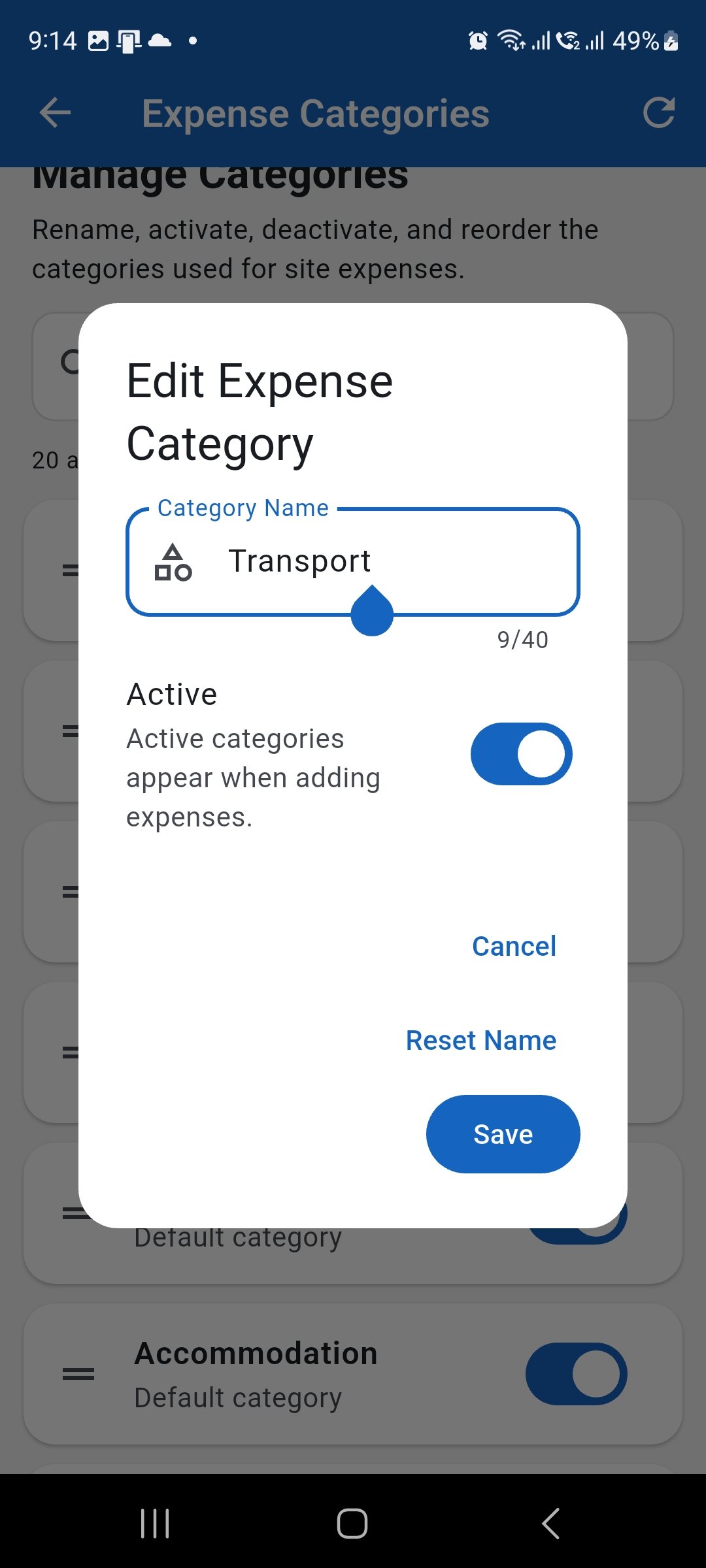
Rename a category only when the new name keeps its purpose clear and consistent. Activate or deactivate categories
Keep categories active when they should be available while entering expenses. Deactivate categories that are no longer needed instead of creating several near-duplicate category names.
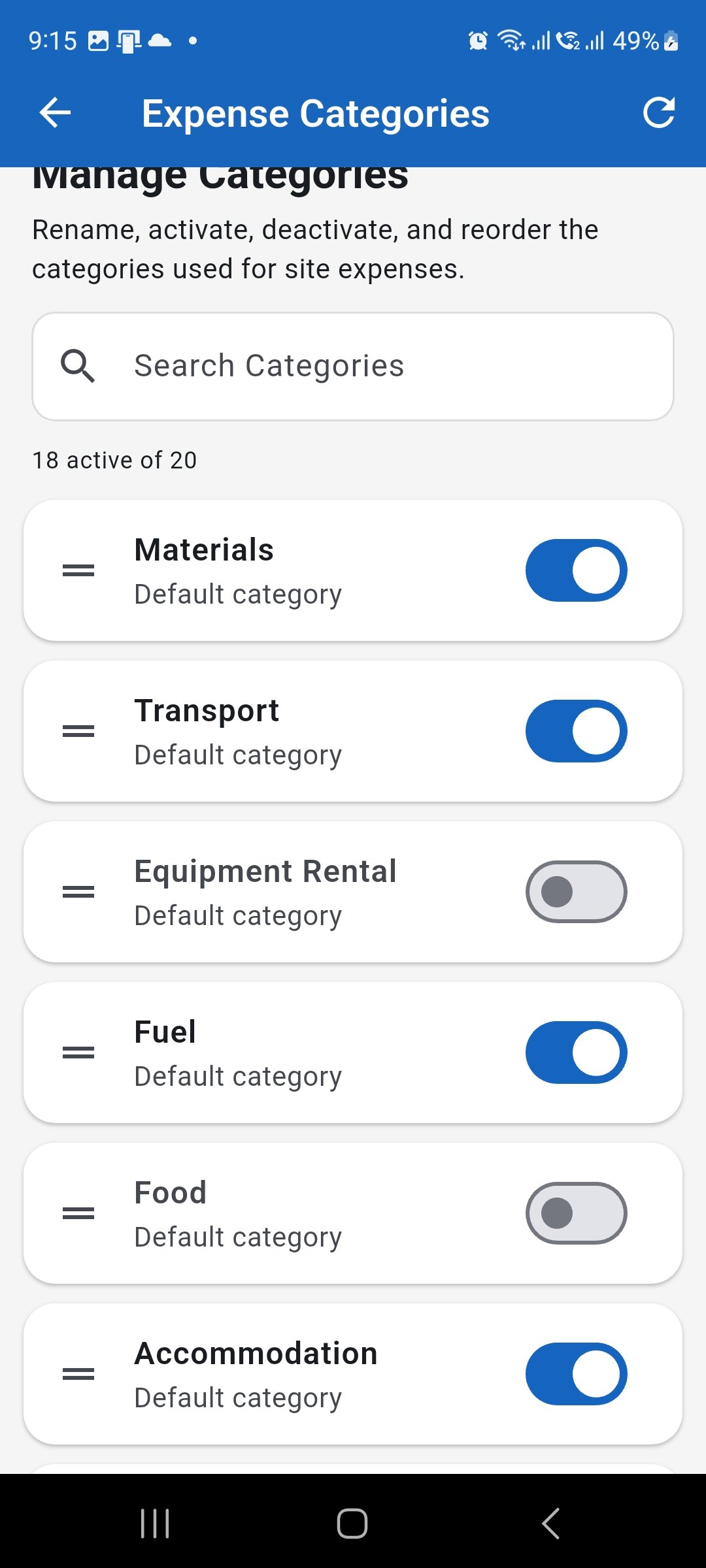
Use the status switch to control which categories are available for new expenses. Keep categories consistent
Use the same category meaning across all sites and review the category order when helpful. A small, consistent category list makes expense reports easier to review and compare.
Keep the category list organised and consistent across projects.