WorkLedger guide
Site finance
Site finance combines locally recorded receipts and expenses for project review. It is not uploaded to the licensing server. Reconcile amounts against your source documents.
Category Sites & finance
Review project finances
Open Site Finance
Open the navigation menu and select Site Finance.
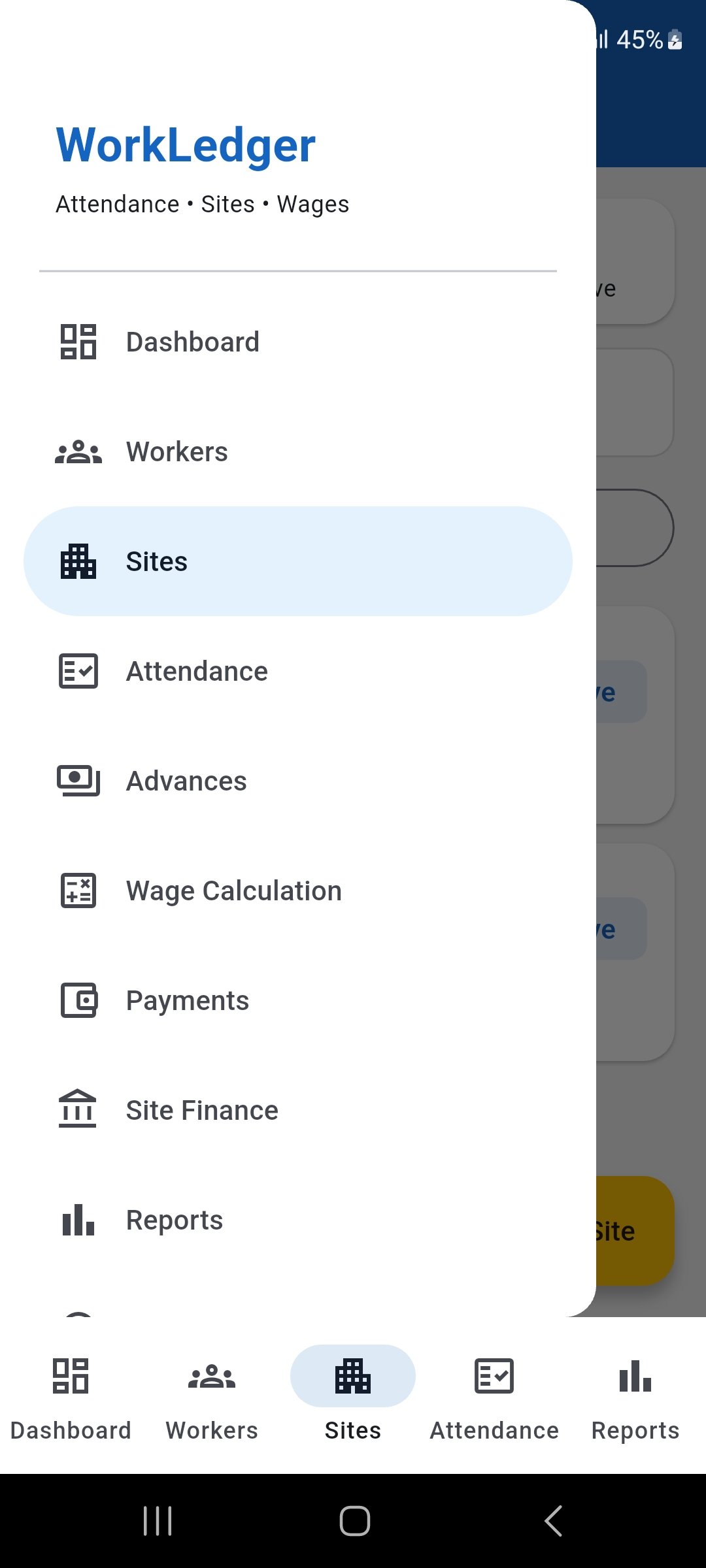
Open the navigation menu and select Site Finance. Select the site and review the summary
Choose the correct site and date range, then review the contract value, receipts, outstanding amount, labour cost, other expenses, project cost, cash position, and profit or loss. Labour cost comes from the app's attendance and wage data for the selected site.
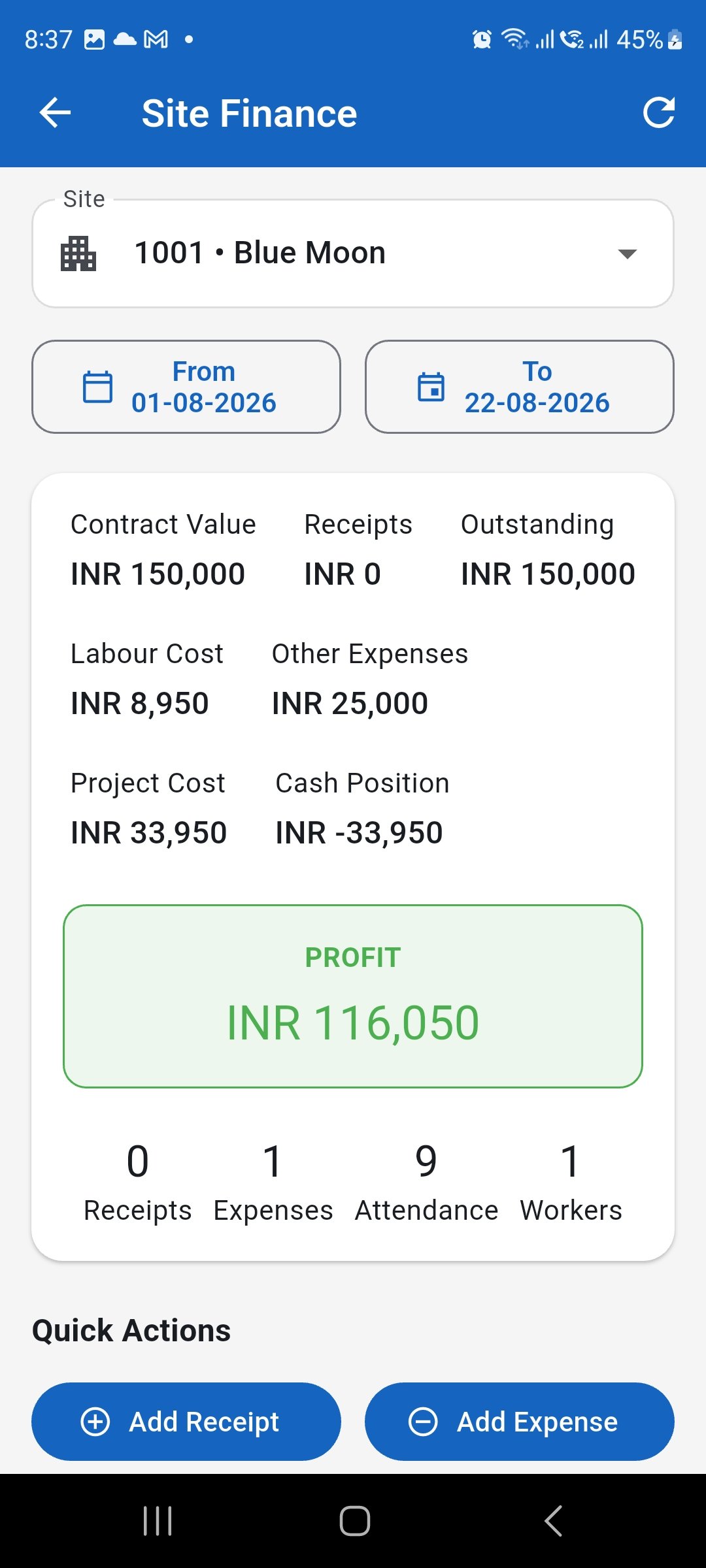
Select the correct site and review its financial position for the chosen period. Review finance actions and records
Use Quick Actions to add receipts or expenses, and use Records & Reports to open receipts, expenses, expense categories, and financial reports.
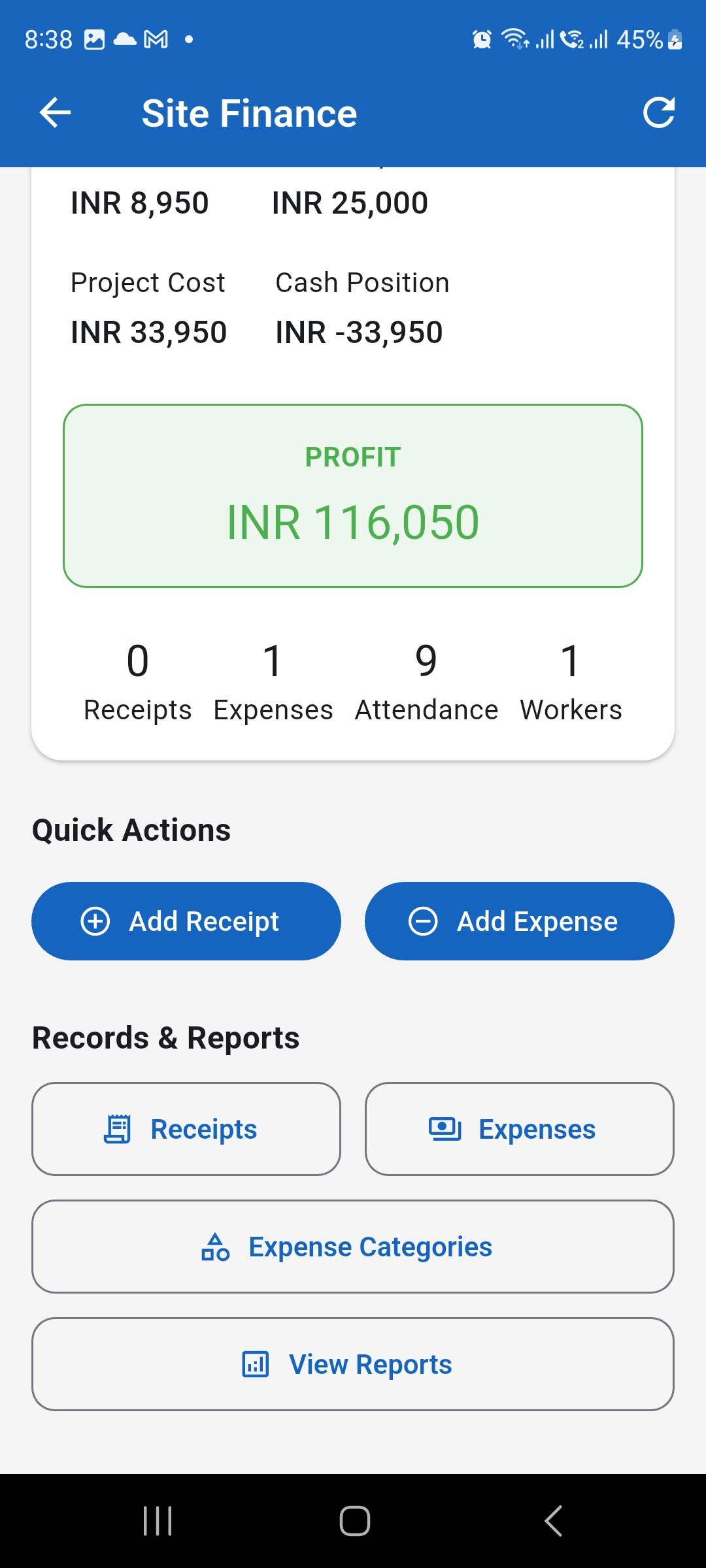
Use the Site Finance shortcuts to manage records and open reports. Add a site receipt
Enter the correct site, receipt date, receipt type, amount, payment method, and any applicable reference number or notes.
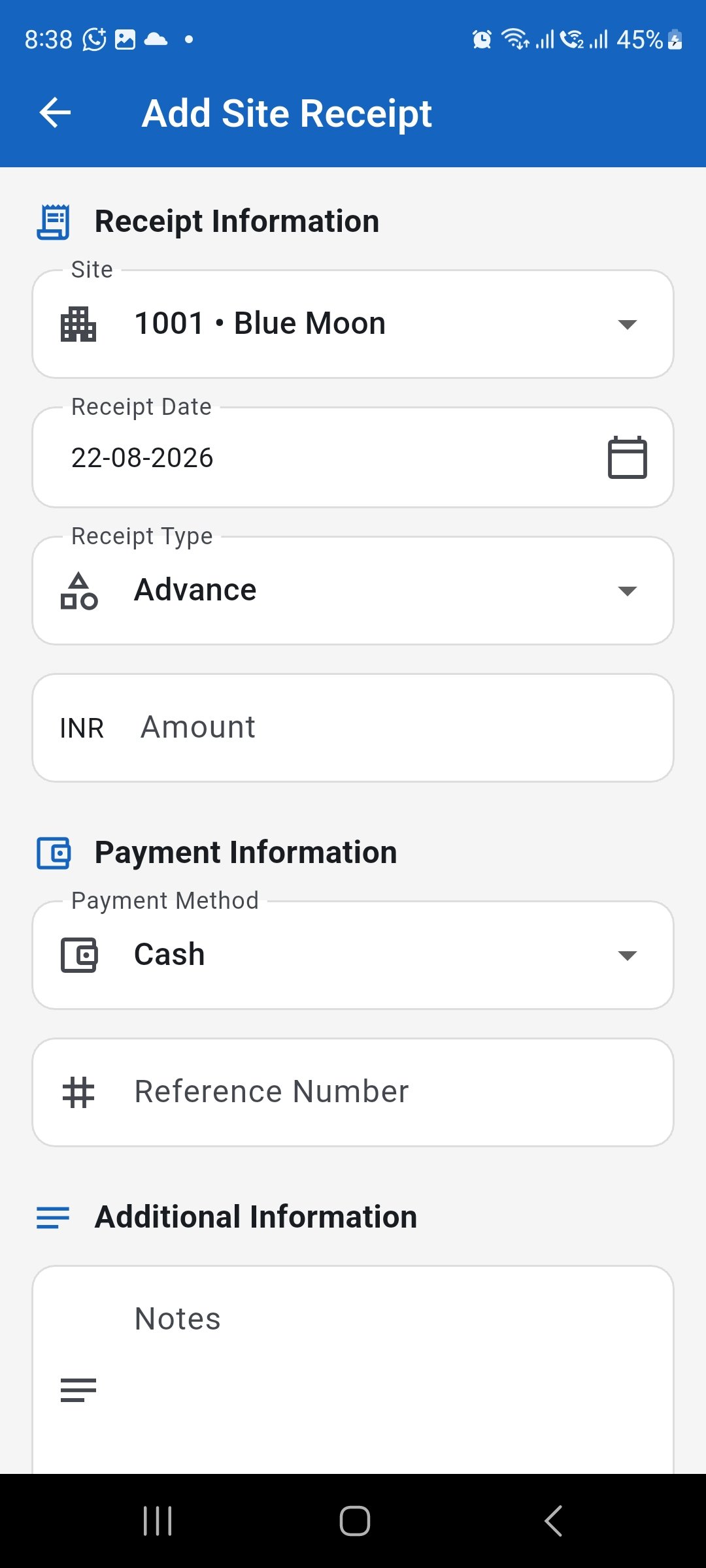
Record money received for the correct site with its receipt and payment details. Add a site expense
Enter the correct site, expense date, expense category, amount, payment method, vendor, and any applicable reference number or notes.
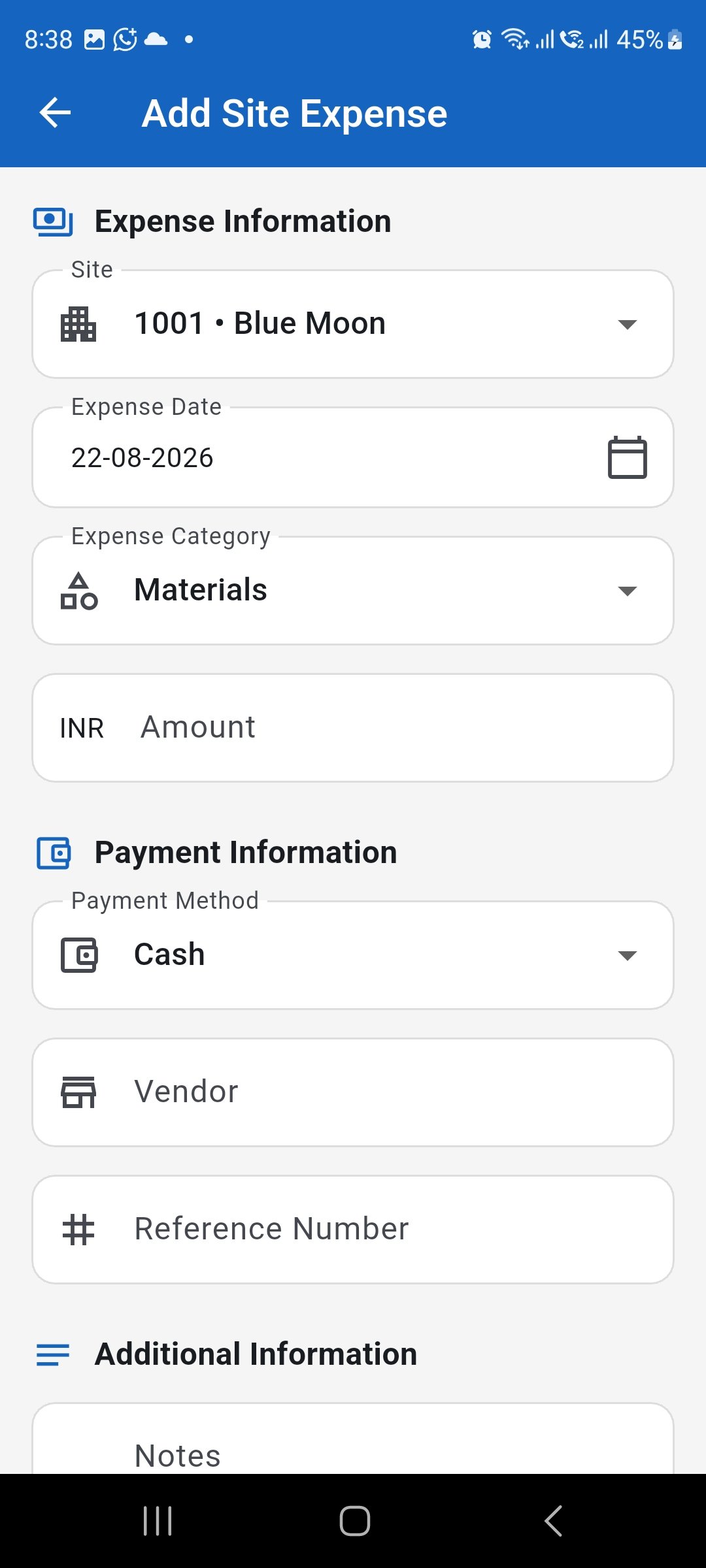
Record non-labour project expenses against the correct site and category. Manage expense categories
Review the categories used for site expenses. Search, rename, activate or deactivate, and reorder categories when required so expense classification stays consistent.
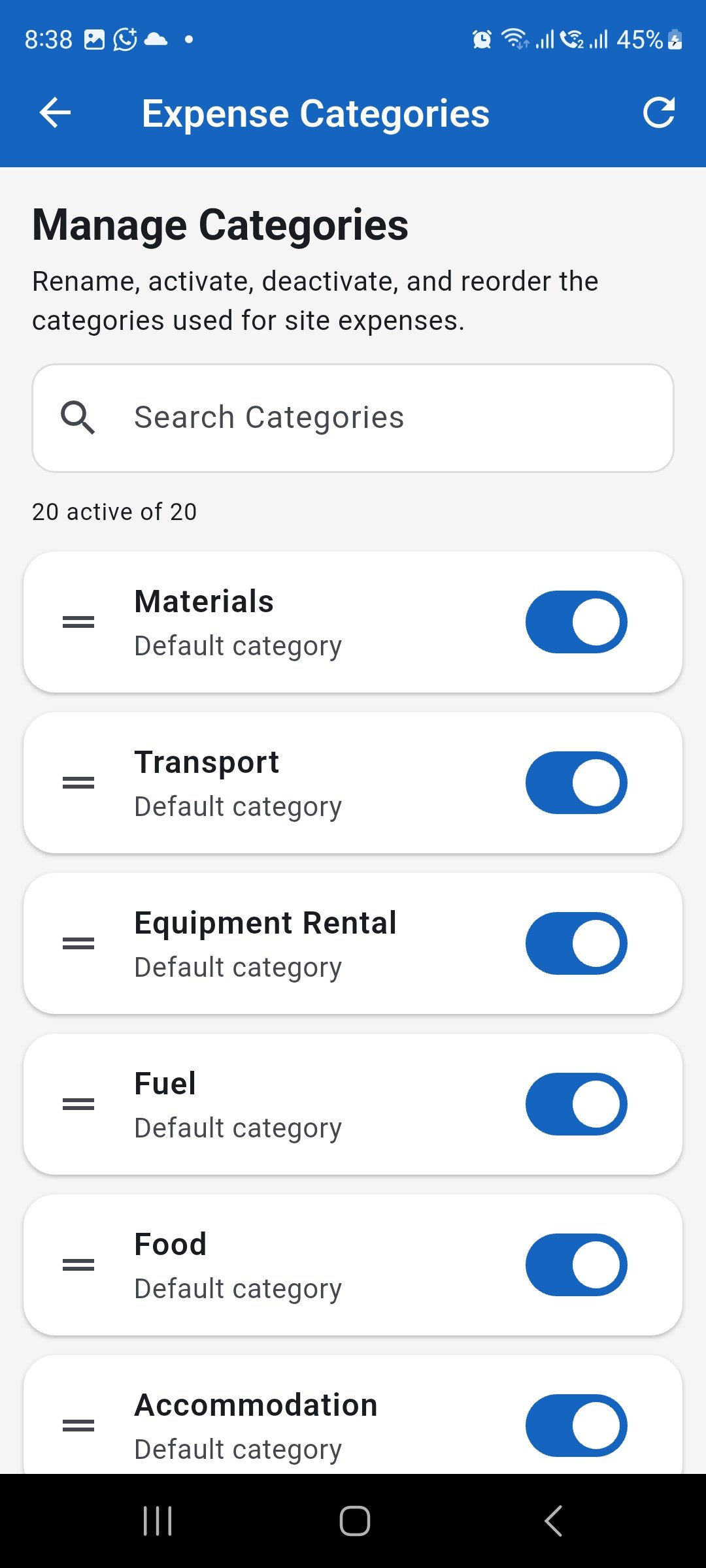
Keep expense categories clear and consistent for reliable site cost reporting. Review Site Finance reports
Open View Reports and use the available reports to review project performance, cash movement, client balances, labour cost, and other site finance records.
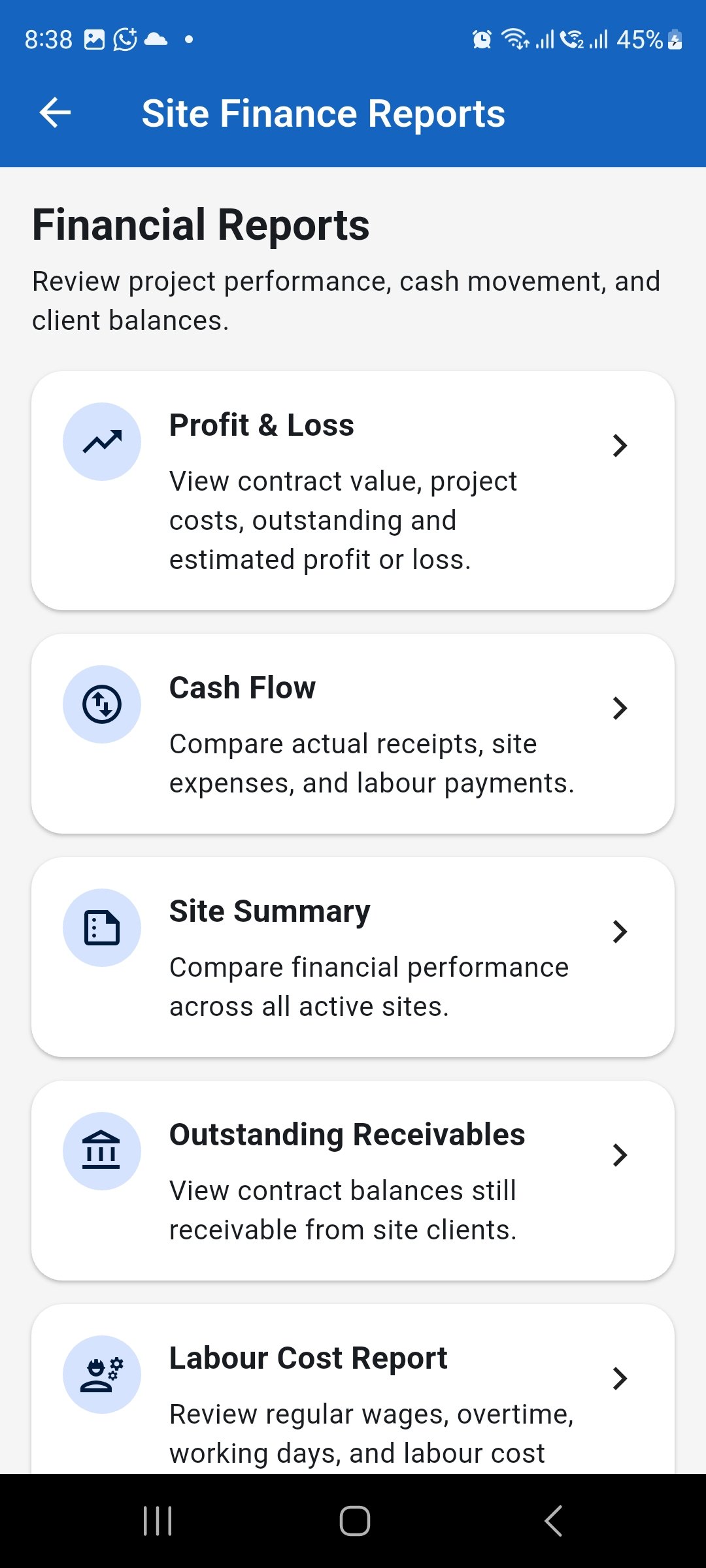
Use Site Finance reports to investigate project performance and supporting financial records.